Dashboards and reports
Who owes you money, what is booked next week, how this month compares with last. One screen answers with current numbers, so nobody spends Friday afternoon building a report.
Sahab Solutions builds portals, dashboards, and admin systems for businesses and nonprofits that run on spreadsheets, email threads, and copy and paste. We learn how your team already works, build the tool around it, and keep it running after launch. We are based in Fishers, Indiana.
Start A free look at how the work moves today
Pricing One fixed, itemized quote before any work begins
Ownership Your data stays in accounts you own
Sahab builds the software a team uses behind the scenes: dashboards, admin panels, back offices for scheduling, bookings, and rentals, donor and member management, reporting, and portals where clients or members handle their own requests. Each one takes over work that lives in a spreadsheet or an inbox today.
You work directly with Omar, Sahab's owner, who maps your process and builds the tool himself.
Talk through your processWho owes you money, what is booked next week, how this month compares with last. One screen answers with current numbers, so nobody spends Friday afternoon building a report.
Add, edit, and approve jobs, orders, members, or listings, with the fields your team needs and checks that catch a wrong entry before anyone saves it.
Calendars for rooms, equipment, staff, or appointments, with your rules for pricing, approvals, and deposits. Requests come in through one form and wait in one queue for approval.
One record per person, with gifts, memberships, registrations, and volunteer sign-ups together. Donors get a receipt by email when they give, and you can pull a year-end summary in a few clicks.
Clients, tenants, or members sign in to check a balance, pay, upload a document, or send a request, so your staff answer fewer emails asking for the same thing.
When the same sale or signup gets typed into three places, we connect those systems where they allow it, so your team enters it once.
You have outgrown spreadsheets when the file costs more time than it saves: two copies of the same list disagree, only one person knows how it works, someone retypes data between systems every week, or a simple question like who still owes you money takes an afternoon to answer.
If two of these sound like your week, read five signs your business has outgrown spreadsheets, or bring the file to a free consultation.
Someone exports from one system, cleans up the columns, and types the results into another.
The rental sheet says the hall is free on Saturday. An email thread from last month says it is booked.
When they are out, nobody touches the tab with the formulas.
A dragged formula or a skipped row comes to light after a customer or donor has seen the wrong number.
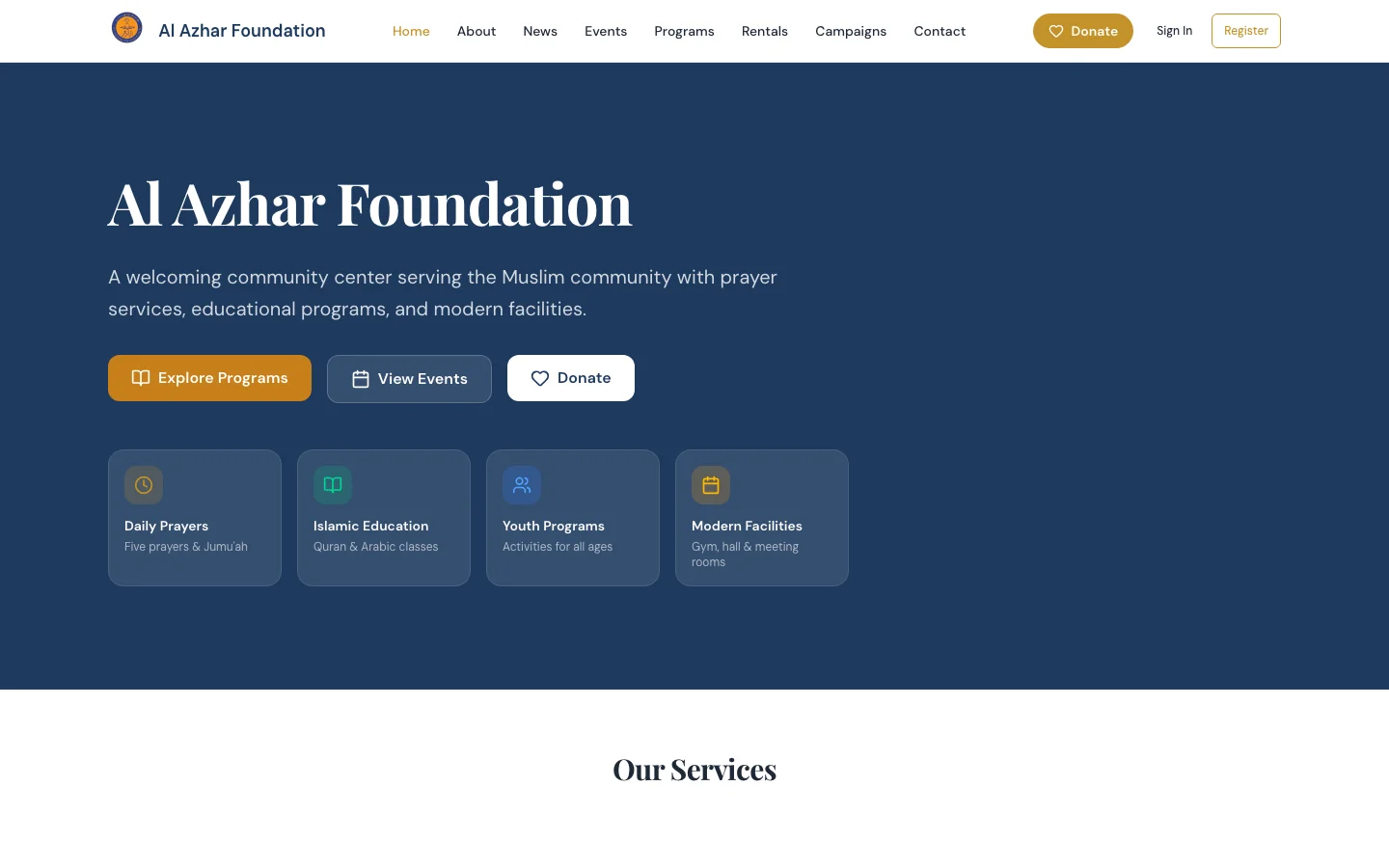
For Al Azhar Foundation in Westfield, Sahab replaced a rentals spreadsheet, hand-reconciled donations, and separate tools for events and email with one platform and one admin. For SG Property Management, we replaced spreadsheets, paper checks, and email threads with a tenant portal and a manager portal that run rent, leases, and maintenance requests.
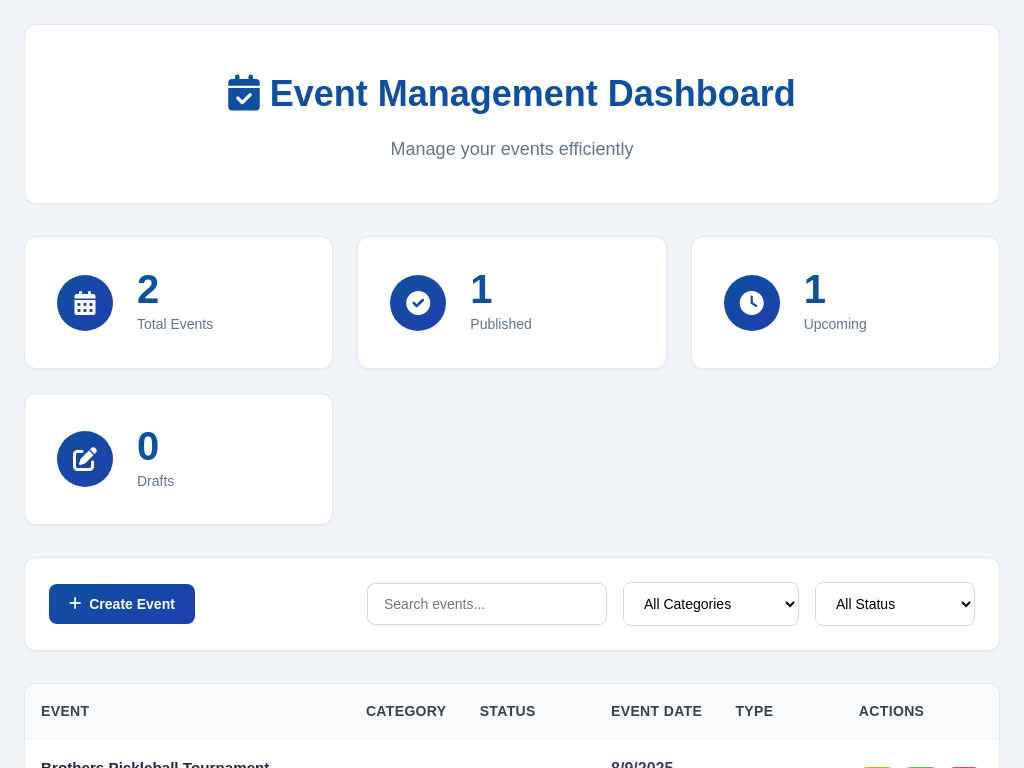
SG's managers now run charges, late fees, and daily financial reports from one view. For AlHuda Spark, a basketball and Quran competition, we built portals for teams, sponsors, and vendors, with an admin dashboard that tracks registrations, payments, and capacity as they happen.
We start by watching the work: who enters what, where it gets copied, who approves it, and which questions the owner keeps asking. Then we build the tool around those steps, keeping the names, categories, and approval rules your team already uses, and move your existing records in so nobody starts from an empty screen.
The person who books the rooms or chases invoices knows where the process breaks. We sit with them before we design a screen.
We bring in your spreadsheets and old system exports, sort out duplicates with you, and check the totals match before anyone switches.
Staff, managers, volunteers, and accountants each see only the parts they need, and the tool records who changed what.
Your business does. Sahab opens the accounts behind the tool in your name, and the records belong to you. You can export them as spreadsheet files whenever you need to, and if you ever stop working with us, your data leaves with you. We do not sell it or use it for anything outside your project.
Sahab prices internal tools as one fixed, itemized quote after a free consultation, never by the hour. The quote depends on how many processes the tool covers, how many systems it connects to, and how much data needs to move over. Care after launch is a flat monthly rate, and running costs are passed through at cost.
| What you are paying for | How it is priced | What it covers |
|---|---|---|
| First consultation | Free | Bring the spreadsheet or process that hurts most. You hear what we would build first, or whether a ready-made tool would do. |
| The build | One fixed, itemized quote | Each part of the tool is a line item with a milestone. You approve the scope and the price before work begins. |
| Hosting, monitoring, updates, and fixes | A flat monthly rate | Sahab keeps the tool running, applies security updates, and fixes problems. |
| Running costs such as email sending and data storage | Passed through at cost | You pay what those services charge, with no markup. |
Changes after launch, such as a new report or form, get their own fixed quote. If you are weighing a custom tool against a subscription, read custom software or off-the-shelf.
An internal tools project with Sahab has four steps: a free consultation, a fixed itemized quote, a build with working previews your team tests on real records, and launch with ongoing care. You see the tool working on your own data before anyone gives up the old spreadsheet.
What owners and office managers ask us first.
Last updated October 5, 2026.
It depends on how many processes the tool covers, how many systems it connects to, and how much data needs to move from spreadsheets or old software. After a free consultation you get one fixed, itemized quote. Care after launch is a flat monthly rate, and running costs are passed through at cost.
Sometimes, yes. If a ready-made tool fits how your team works, buy it, and we will say so. A custom tool makes sense when your process sets you apart, or when you pay for several tools that each do part of one job.
Usually, yes. Most accounting, payment, email, and calendar tools let other systems connect to them. During the consultation we check which of your tools connect reliably, and only those go into the quote.
They will if it saves them time in the first week, so we build it with them. The people who do the work test previews with real records, and we train them before launch.
Sahab hosts the tool, monitors it, applies security updates, and fixes problems for a flat monthly rate. You work directly with Omar, the engineer who built it. A new report, form, or role gets a fixed quote before any work starts.
It depends on how many processes the tool covers and how much data needs to move. A back office for bookings takes far less time than a platform that runs a whole organization. Your fixed quote lists the milestones.
Show us the file, the inbox, or the process your team dreads. The first consultation is free, and you will leave knowing what we would build first.